Event Check-In: How to Prevent Queues and Protect Attendee Data
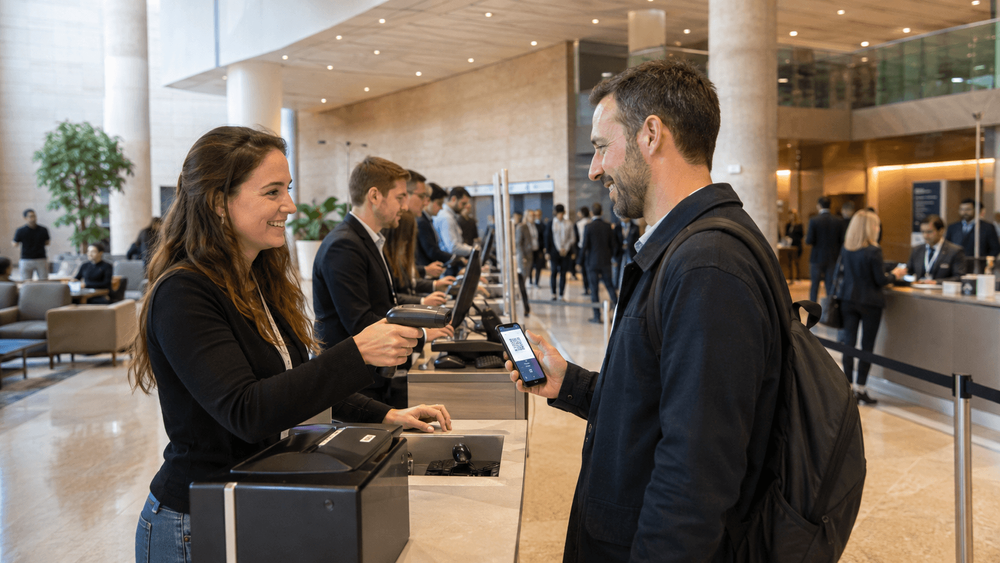
An event can have enough check-in capacity for the day and still struggle during the first half hour. Delegates arrive together after a shuttle transfer, the opening session approaches, and one missing ticket keeps a desk occupied while the queue behind it grows.
The answer is not simply to add more scanners. Good event check-in starts with the arrival pattern, the work each desk must complete and a clear route for problems that need more time. It also needs sensible handling of attendee data, because a busy reception area is a poor place to improvise access rules or leave a full registration export on an unattended laptop.
This guide brings those decisions together, with an illustrative capacity calculation and a run sheet you can adapt to your conference.
Plan for the busiest arrival period
Start with the agenda, registration list and transport arrangements, then estimate how many people may reach check-in during the busiest intervals. The opening keynote, group transfers and separate speaker briefings can create different arrival patterns, so an average across the whole morning may hide the actual pressure.
Use previous event observations, but check for changes such as a new entrance or shuttle schedule. Where evidence is limited, prepare several plausible scenarios and show the uncertainty in the staffing plan.
Separate standard ticket holders from walk-ins, groups and people likely to need approval or payment help. These categories create different work, and they should not all be represented by one optimistic processing time.
Calculate throughput using your own test times
Measure the complete service at a station, from the moment the next attendee steps forward until the desk is ready for another person. Include ticket lookup, scanning, printing or badge retrieval, and any routine explanation; timing only the scan will underestimate the work.
A simple starting calculation is:
Minimum continuously available stations = peak arrivals × service seconds ÷ arrival-window seconds, rounded up.
Suppose, purely as a planning example, that 360 standard ticket holders arrive within 30 minutes and a rehearsal shows an average service time of 30 seconds. The calculation is 360 × 30 ÷ 1,800 = six stations, each processing two people per minute without interruption.
Six is therefore the theoretical minimum in this example, not a safe staffing recommendation. It leaves no spare capacity for uneven arrivals, staff variation or equipment interruptions. If this organiser chooses an illustrative planning ceiling of 75% utilisation, the calculation becomes 360 × 30 ÷ (1,800 × 0.75) = eight stations.
These numbers are not industry benchmarks or a promise of queue-free entry. Short bursts can still exceed the average, while a shared printer or narrow exit may become the real bottleneck. Test the complete arrangement, choose a buffer suited to your event and calculate slower exception work separately.
Give different work a different route
A standard lane should have a clear purpose: for example, checking a valid registration and issuing a badge. Walk-in registration, unresolved payments and eligibility questions usually need longer conversations, so provide a separate help route that does not block that routine work.
Place a trained greeter before the queue to direct people early, with clear wording and appropriate language support, so attendees reach the right desk first.
The following is a routing concept, not a venue floor plan:
| Arrival situation | Suggested route | Decision needed |
|---|---|---|
| Valid registration and ready ticket | Standard check-in | Confirm record and issue badge |
| Ticket cannot be found or details differ | Help desk | Resolve lookup without unnecessary re-registration |
| Walk-in or unpaid booking | Registration/payment desk | Confirm capacity, payment and admission authority |
| Organised group arrival | Agreed group route | Confirm how individual attendance is recorded |
| Additional assistance requested | Accessible assistance route | Provide suitable help without requiring public disclosure |
Review the physical layout with the venue team, including accessible routes, counter usability, emergency exits and queue space. A fast desk is not useful if its queue obstructs another entrance or prevents someone from reaching assistance.
Choose the badge workflow before ordering equipment
Pre-printed badges reduce printing work at arrival, but they need accurate preparation, an organised storage method and a plan for corrections or late registrations. On-demand printing can use the current record, although it adds dependence on printers, supplies and the time needed to produce each badge.
Test the approach with realistic names, including longer names and the scripts your audience uses. Check readability, badge holders and how staff find or reprint the correct badge, then rehearse a duplicate-ticket scenario so the response is consistent.
Keep printed details limited to the event's purpose. A name and organisation may be useful for networking, but internal notes, payment status or a detailed accessibility request do not belong on a public badge. Also inspect what a QR code reveals when scanned, rather than assuming that a code automatically hides personal information.
Prepare for network and equipment problems
Test connectivity at the actual desks with the devices you will use, not only from a meeting room during a venue visit. Ask the venue about expected load, support contacts and any dedicated connection options, then check power, charging and the physical placement of cables and printers.
Define the response to each likely failure. A spare scanner does not solve a printer outage, and a mobile connection does not help unless it has been tested and approved for the workflow. Keep replacement supplies and equipment within reach, with a named person responsible for deployment.
Do not assume the software works offline. If an offline option is offered, verify which functions remain available, how duplicate admission is handled across disconnected devices and what happens during synchronisation. If a limited manual fallback is necessary, agree its data fields, access controls and reconciliation process before doors open.
When service returns, reconcile fallback admissions through one controlled process, avoiding conflicting imports by different staff.
Protect attendee data at the registration desk
Where GDPR applies, security measures must be appropriate to the risks of the processing. The European Data Protection Board's security guidance addresses organisational procedures, staff awareness, access and equipment protection. Apply that thinking to the temporary environment at your venue, not only the main event database.
Give staff the access needed for their assigned work, and position screens so waiting attendees cannot read other records. Use approved devices, appropriate screen locks and controlled credentials, with clear responsibility for equipment during breaks and shift changes.
Keep any printed list or temporary export under the same operational control as the live system: know who has it, why it is needed and when it must be returned or removed. A fallback list should not become a convenient copy of every registration answer, particularly when the desk only needs to confirm attendance.
Distinguish entrance scanning from sponsor lead capture, since checking admission and sharing contact details serve different purposes. Explain what information a sponsor scan makes available and review the applicable lawful basis and choices, rather than treating a displayed badge as permission for unlimited follow-up marketing.
Give staff a contact for a lost device, unexpected data exposure or privacy request, and ask them to report concerns promptly through the agreed procedure. For broader planning, see our GDPR guide for event registration.
This article provides practical operational information, not legal advice. Review the data-protection arrangements with your adviser and the venue layout with the responsible safety and accessibility teams.
Train staff to make consistent decisions
Button training is only part of preparation. Staff also need to know what they may change, when they may issue a replacement badge, who can approve admission and how to handle a person whose record cannot be found.
Use a short escalation tree: standard desk to help lead, then to the authorised registration, finance or event manager for the relevant decision. Keep technical support and the privacy contact available through separate clear routes, so every problem does not reach the same person by default.
Practice respectful lookup and verification without requiring additional identity documents simply out of habit. Where the event genuinely needs an identity check, define the requirement and handling in advance. Staff should also know how to arrange language or accessibility assistance without discussing personal circumstances across the queue.
Rehearse a burst of arrivals before opening
Run the actual equipment, badge materials and staff instructions together using fictional attendee records. Include a burst of routine arrivals mixed with a missing ticket, a corrected name, a reprint, a duplicate code, a walk-in and a payment question.
Then introduce a printer problem or loss of connectivity and observe how the team switches to its agreed fallback. Include an attendee who needs another language or an accessible route, so the rehearsal tests the whole service rather than only the fastest case.
Record service times and bottlenecks, adjust the plan and repeat failed scenarios after changes.
Use an event-day run sheet
Copy this structure into the team's working document and replace relative timings with your actual schedule. Add names and contact details before sharing it, and keep any attendee information out of the general run sheet.
| Stage | Action | Responsible role | Evidence or trigger |
|---|---|---|---|
| Before opening | Confirm route, signage, exits and assistance point | Venue and check-in leads | Layout approved; routes clear |
| Before opening | Test devices, printers, network and supplies | Technical lead | End-to-end test completed |
| Staff briefing | Confirm permissions, decisions and escalation contacts | Check-in lead | Each station knows its remit |
| Opening | Place greeter and activate planned stations | Floor lead | Ready for forecast arrival wave |
| Peak arrival | Check queues, service time, exceptions and equipment | Floor lead | Agreed threshold triggers extra capacity or rerouting |
| Failure | Activate approved fallback and record decisions | Technical and check-in leads | Incident owner confirms switch |
| Shift change | Hand over devices, issues and supplies | Outgoing and incoming leads | Equipment and unresolved cases accounted for |
| Closeout | Reconcile records, collect materials and complete cleanup | Operations and data owners | Actions recorded and outstanding items assigned |
Keep equipment lists, station maps and escalation contacts alongside the run sheet, with agreed actions for queue thresholds.
Monitor the flow and close the operation properly
During arrival, watch queue growth, processing time and the proportion of cases needing help, alongside printer status and supplies. If a specific question repeatedly slows the desk, improve the instruction or move the work to the help route rather than asking staff to hurry through an unclear process.
At closeout, reconcile attendance and unresolved exceptions before using the figures in reports. Return devices, remove temporary access, collect printed material and complete the agreed cleanup of exports and supplier-held working copies.
Retention should follow the documented purpose and applicable obligations rather than keeping everything indefinitely or deleting every record at once. The European Commission's GDPR principles explain the relevant minimisation and storage-limitation principles. Record what remains, why it is retained and who owns the next action.
Where PLANARA may fit
PLANARA's feature overview includes built-in badge scanning, venue selection and attendee updates. These are relevant starting points for an event-day discussion, while the proposed setup still needs to be tested against your actual workflow.
Bring your arrival forecast and ask to see a standard check-in together with your important exceptions. Confirm device and printer compatibility, reprint handling, permissions and data cleanup, and ask explicitly about connectivity requirements rather than assuming offline support. Our questions to ask an event software vendor can help structure that review.
Design the routine lane and the help route together
Reliable check-in combines enough tested capacity with a clear response when a ticket, device or attendee record needs attention. Forecast the peak, measure the complete service, separate slower work and rehearse the fallback, then carry the same discipline into data handling and closeout.
Planning conference arrivals? Book a PLANARA demo and bring your expected arrival pattern, badge requirements and exception scenarios.
Frequently asked questions
How many check-in stations does an event need?
Calculate from your expected peak arrivals and measured complete service time, then allow for variability and interruptions. There is no universal attendee-to-station ratio that fits every workflow.
How can we reduce conference check-in queues?
Prepare attendees with clear arrival instructions, separate routine check-in from slower cases, and test the whole process with the actual equipment and team before opening.
Should badges be pre-printed or printed on demand?
Pre-printing moves work earlier but needs storage and correction arrangements, while on-demand printing depends more on equipment at arrival. Choose after testing your expected volume and change rate.
What should we do if venue Wi-Fi fails?
Follow a tested contingency rather than improvising. Confirm any offline capability beforehand, control fallback records and reconcile them when the main service returns.
How should attendee data be protected at check-in?
Limit access and visible information, control devices and temporary lists, explain distinct uses such as lead capture, and complete the agreed cleanup after the event.